Compliance Audit Trail
84+ audit events. FERPA-ready. Always.
84+ audit events. FERPA-ready. Always.
Every action in FormVault — form views, signatures, downloads, coach logins — is logged with a timestamp, user ID, and IP address. Your FERPA compliance documentation writes itself.
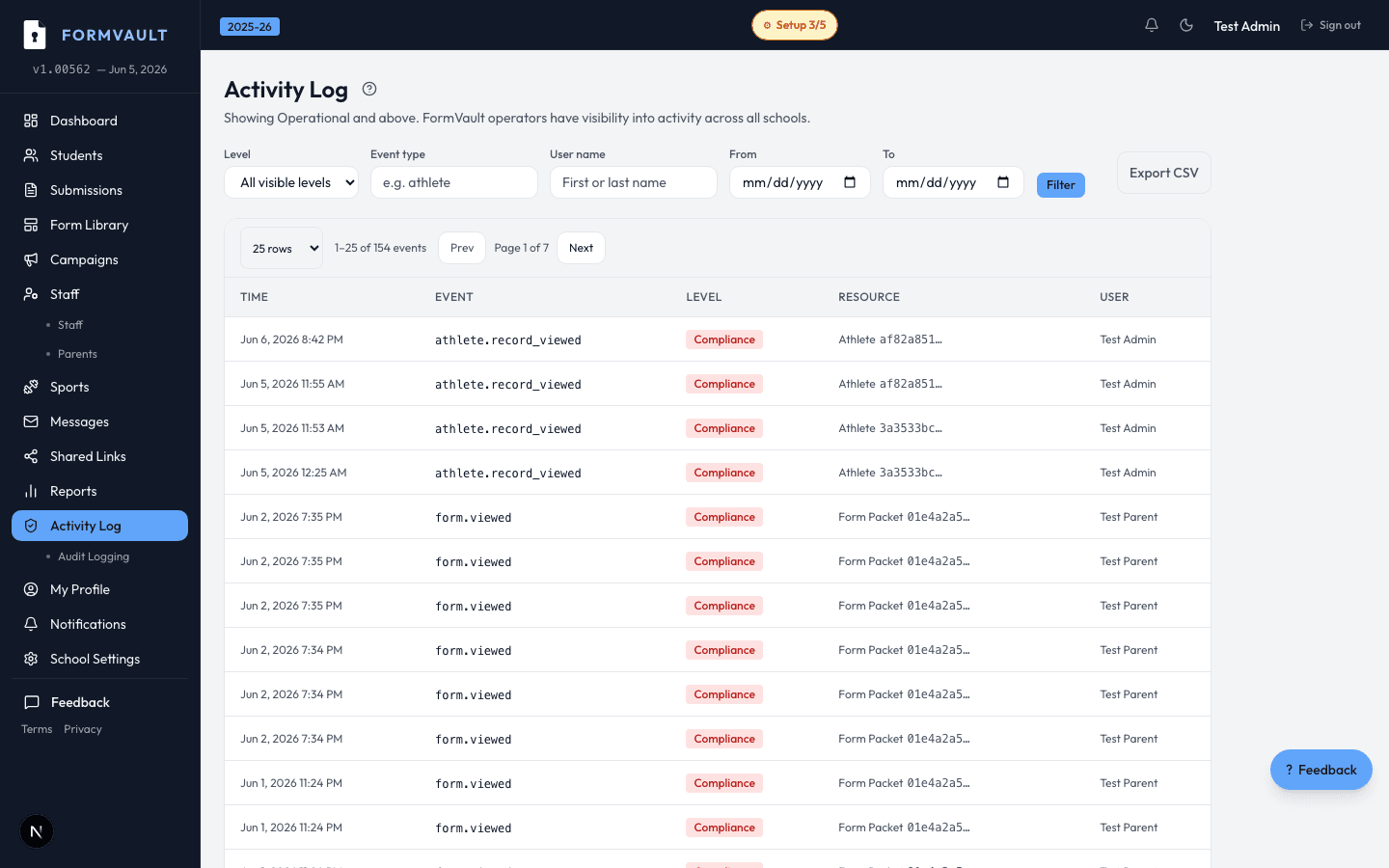
Every platform action is automatically logged
Events include: views, edits, signatures, downloads, logins
Filter and search the audit log by student, date, or event type
Export the full log as CSV for compliance reviews
84+ event types including: form views, PDF downloads, coach logins, parent signature attempts and completions, athletic director status changes, document uploads, admin actions on student records, failed login attempts, and link access events — both successful and expired.
No. The audit log is append-only and tamper-proof. No user — including administrators and FormVault staff — can modify or delete entries. Only new events can be added through legitimate platform actions. This immutability is essential for FERPA legal defensibility.
Only athletic directors and school administrators with the appropriate permission level. Coaches and parents cannot view the log. Access to the audit log is itself logged, so you always have a record of who reviewed compliance documentation and when.
Audit logs are retained for the duration of your subscription plus a 90-day data export window after cancellation. Long-term archiving options are available for districts with specific FERPA retention requirements beyond the standard period.
Yes. Export the full audit log or filter by student, date range, or event type and download as a CSV file. This format is accepted by most district compliance systems, legal discovery requests, and insurance documentation processes.
Yes. The audit trail is continuous across seasons and school years. You can see every action taken on a student's record from the day they were enrolled through their final year — providing a complete chain of custody for all form and clearance decisions.